> ## Documentation Index
> Fetch the complete documentation index at: https://docs.ziina.com/llms.txt
> Use this file to discover all available pages before exploring further.
# Embedded checkout
> Keep customers on your site. Accept payments without redirects.
## What is embedded checkout?
Ziina's Embedded Checkout lets customers pay directly on your website—no redirects, no drop-offs. It's a secure, seamless payment form that lives inside your page, so your brand stays front and center. That means faster checkouts, fewer distractions, and more completed payments.
## Before you begin
1. Host the [domain verification file](https://s3-aws-uae-prd-public-web-assets-01.s3.me-central-1.amazonaws.com/embedded_checkout/apple-developer-merchant-id-domain-association) at `https://[your-domain.com]/.well-known/apple-developer-merchantid-domain-association`. This file
needs to be served with `"Content-Type": "text/plain"` header
2. Contact Ziina support with your website domain(s). Once approved, you can embed checkout on those domains.
## Implementation Steps
### 1. Generate API Token
Visit [https://ziina.com/business/connect](https://ziina.com/business/connect) to get your API token.
### 2. Create a payment intent
Create a payment intent using the Ziina API: [Create Payment Intent](/api-reference/payment-intent/create)
### 3. Display the checkout form
Use the `embedded_url` from the payment intent response to show the checkout in an iframe. In addition, provide a version, you would
like to use. Currently, we support two versions:
* `version=latest` for automatic updates (breaking changes may occur in the future)
* `version=v1` for stable version (might be deprecated eventually)
```javascript theme={null}
```
#### Internationalization (i18n)
The checkout widget displays in English by default.
To display in Arabic, add `locale=ar` query parameter to the embedded URL:
```javascript theme={null}
```
#### Widget size
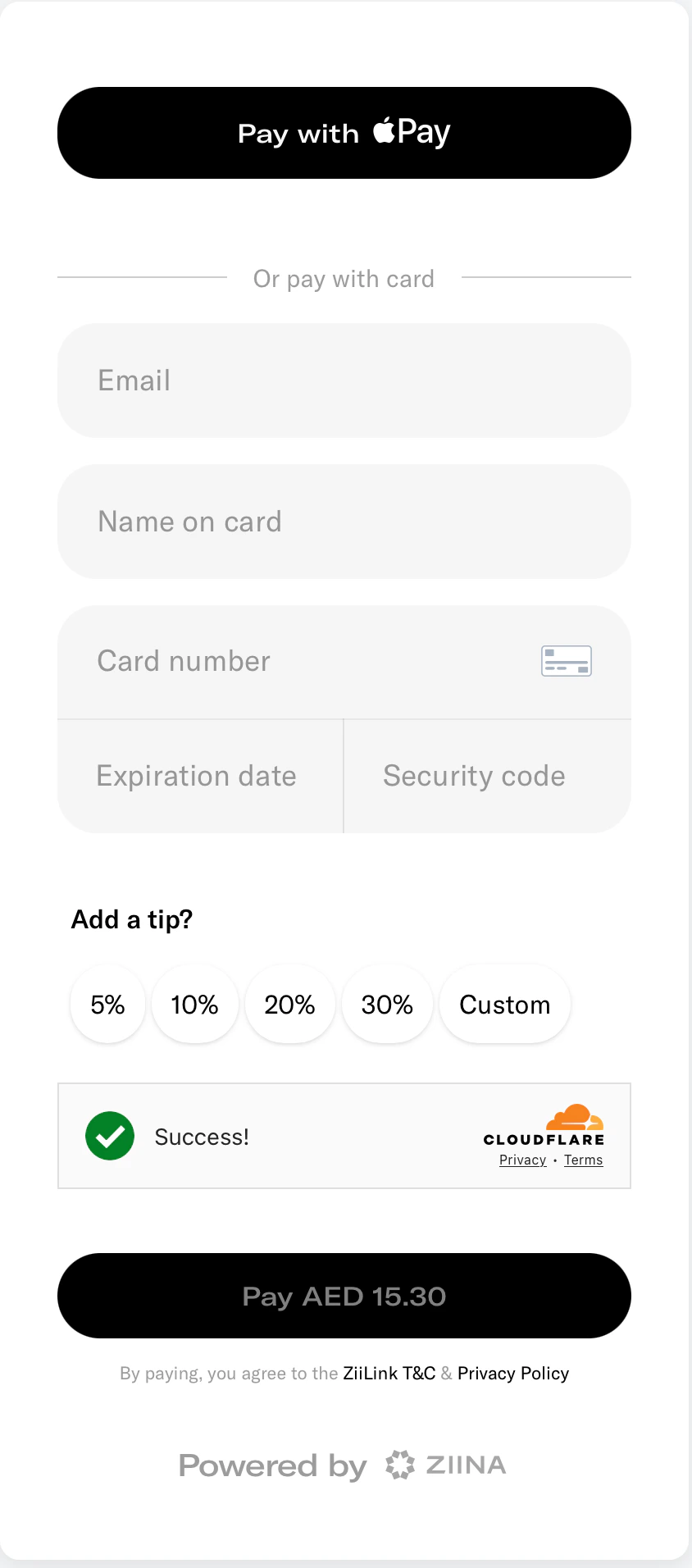
For a better user experience, we suggest you display the embedded widget with one of the following dimensions:
* **Without tips**: 450px width x 820px height
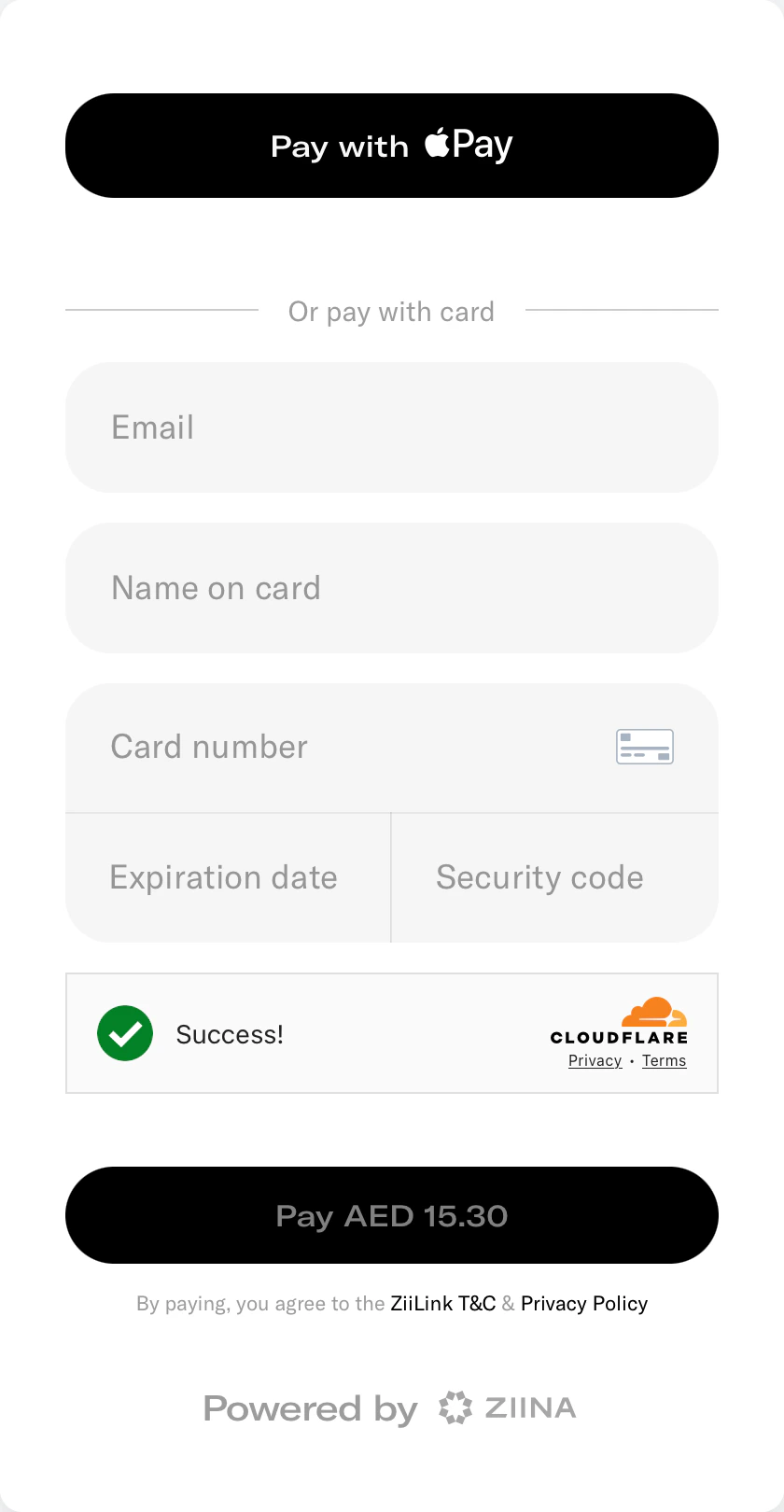 * **With tips**: 450px width x 950px height
 ### 4. Handle payment events
You can subscribe to the `ZIINA_PAYMENT_STATUS_CHANGE` event from the iframe to update your UI accordingly. The iframe will notify you when the payment status changes to: `COMPLETED`, `FAILED`, or `CANCELED`.
```javascript theme={null}
window.addEventListener('message', function(event) {
const iframe = document.getElementById('ziina-checkout');
if (event.source !== iframe.contentWindow) return;
const { type, data } = event.data || {};
if (event.origin !== 'https://pay.ziina.com' || type !== 'ZIINA_PAYMENT_STATUS_CHANGE') {
return;
}
if (data.status === "COMPLETED") {
console.log("Payment successful");
// Handle successful payment
}
});
```
### 5. Verify payments via webhooks
Set up webhooks on your backend to confirm payments: [Create Webhook](https://docs.ziina.com/api-reference/webhook)
This ensures you have reliable payment confirmation even if the customer closes their browser.
### 4. Handle payment events
You can subscribe to the `ZIINA_PAYMENT_STATUS_CHANGE` event from the iframe to update your UI accordingly. The iframe will notify you when the payment status changes to: `COMPLETED`, `FAILED`, or `CANCELED`.
```javascript theme={null}
window.addEventListener('message', function(event) {
const iframe = document.getElementById('ziina-checkout');
if (event.source !== iframe.contentWindow) return;
const { type, data } = event.data || {};
if (event.origin !== 'https://pay.ziina.com' || type !== 'ZIINA_PAYMENT_STATUS_CHANGE') {
return;
}
if (data.status === "COMPLETED") {
console.log("Payment successful");
// Handle successful payment
}
});
```
### 5. Verify payments via webhooks
Set up webhooks on your backend to confirm payments: [Create Webhook](https://docs.ziina.com/api-reference/webhook)
This ensures you have reliable payment confirmation even if the customer closes their browser.